
Textile Management
Overview
The Textile Manufacturing Application, built using Zoho Creator and integrated with Zoho Inventory, automates the complete textile manufacturing and inventory process from raw material management to customer dispatch. The centralized workflow connects materials, products, production, inventory, and dispatch in one application. Instead of maintaining separate records, users can track transactions through each operational stage. Integration with Zoho Inventory keeps inventory aligned with sales and dispatch activity, while reducing repeated data entry and improving visibility of available, issued, pending, and dispatched materials.
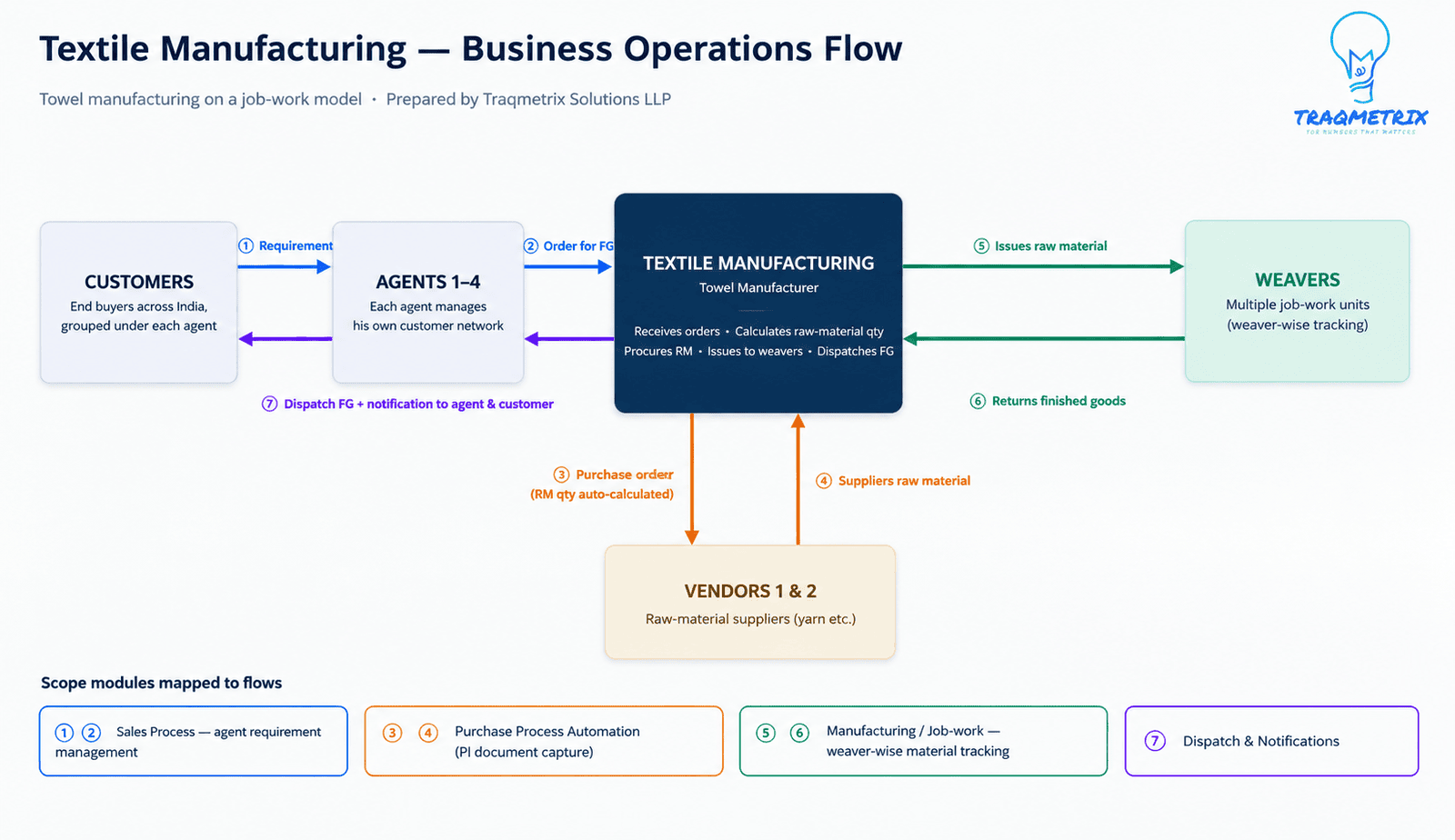
1. Create Raw Material
Raw material records can be created individually through the Raw Material form or uploaded in bulk using a predefined Excel template. Uploaded data is validated before records are created. The raw material master provides the foundation for manufacturing activities, including composition, inward, issue, and stock calculations. Maintaining material information centrally makes records easier to manage and supports consistent processing throughout the application.
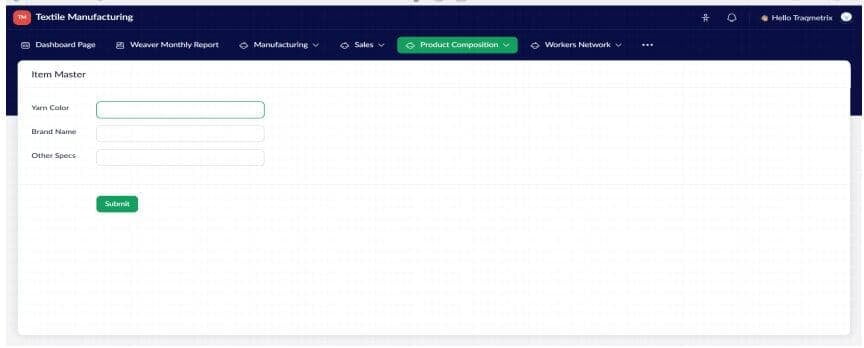
2. Product Creation Along with Composition
Finished products are created with their raw material composition. The composition defines the raw material type and quantity required to produce one unit. This relationship is used to calculate material requirements for sales requests and job work. When the order quantity changes, the application determines the corresponding material requirement based on the predefined composition. This connects product information with production planning and reduces manual calculations during each transaction.
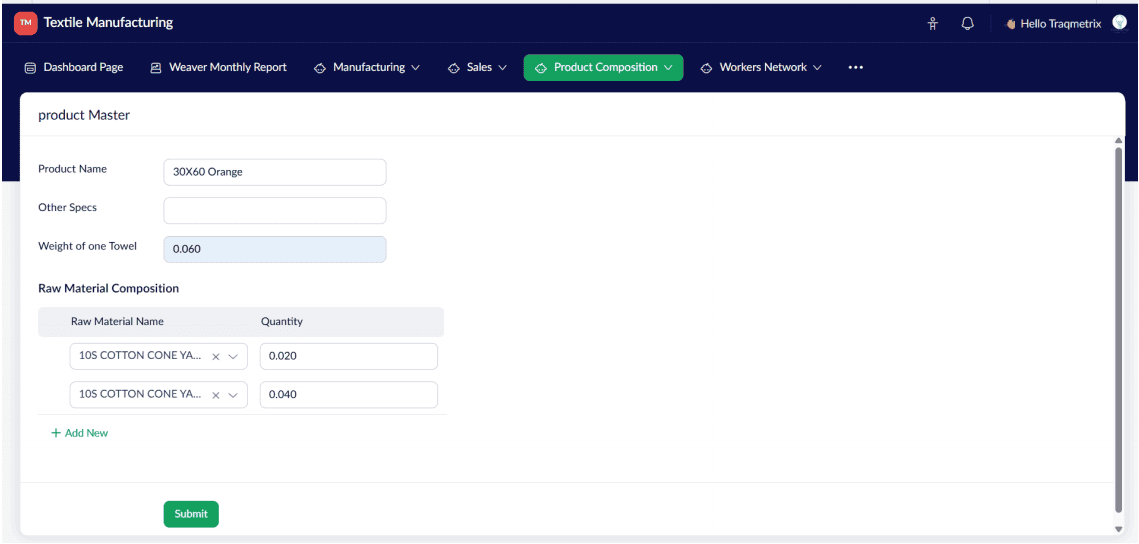
3. Sales Request from Customer
A customer sales request form or order sheet can be scanned or uploaded. OCR extracts the available order details and creates the Sales Request in Zoho Creator. Users can verify the extracted information before submission. After verification, the corresponding Sales Order can be created in Zoho Inventory. This process reduces repeated manual typing, speeds up customer order capture, and maintains a verification step before the order moves into inventory processing.

4. Product Inward
Raw material and finished goods inward entries can be automated through invoice scanning. Users can scan or upload a vendor invoice, and OCR extracts the invoice information. The application validates the extracted details against the relevant master records before creating the inward entry. For raw materials, the material master is checked before the inward is recorded. A similar process can be used for finished goods purchased directly for resale. The relevant inventory is updated after successful processing, reducing manual data entry and improving inward accuracy.
5. Job Work Creation and Raw Material Dispatch
For a confirmed Sales Order, the application calculates the required raw material quantity, composition weight, total material weight, and allocation based on the product composition. Materials are allocated against the Sales Order before the Job Work Raw Material Issue is created. After confirmation, inventory is updated to reflect the material issued to the weaver. This creates a controlled connection between available warehouse stock and external production activity while allowing users to track material issued for each order.
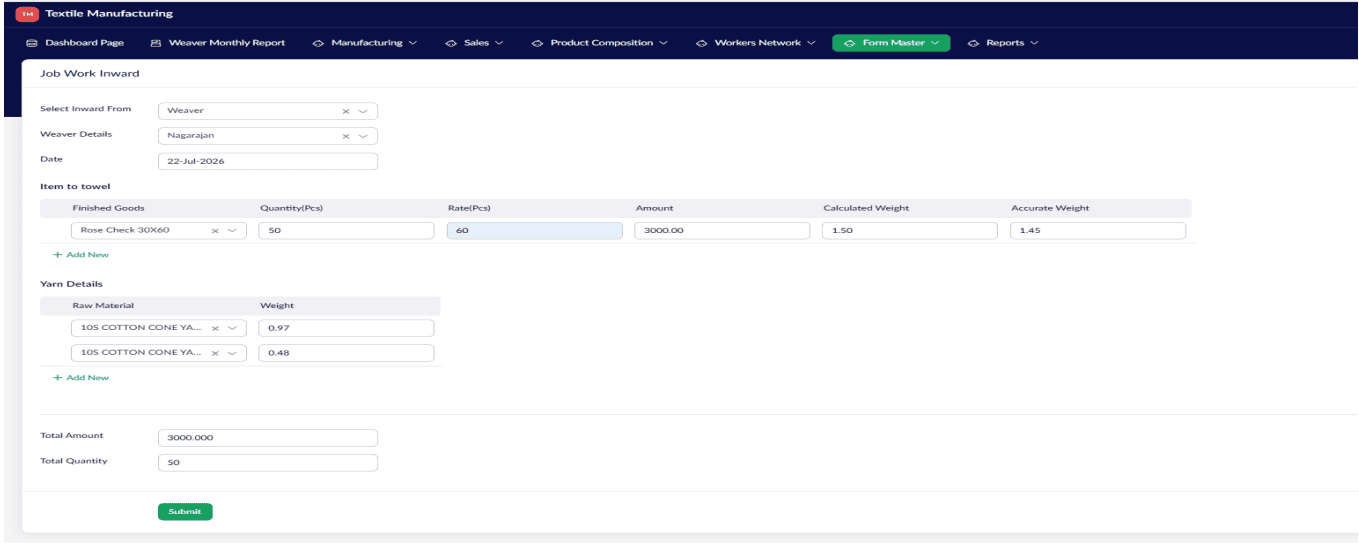
6. Job Work Inward
When finished goods are received from the weaver, the application calculates the expected weight based on the selected product and received quantity. Users can enter the actual received weight and view the related raw material composition and calculated weights. This process provides a controlled record of finished goods returned from production. If the actual weight differs from the expected weight, the accurate received value can be recorded. The application displays relevant production details while recording the completed job work inward.
7. Create Dispatch
Finished goods can be assigned from one or more weavers to the corresponding Sales Order. The application tracks the quantity assigned from each weaver, allowing allocation to continue until the complete order quantity is covered. Once the required goods are ready, the Dispatch action collects the assigned quantities, checks stock and order quantities, and creates the dispatch record. Dispatch details are synchronized with Zoho Inventory, and a Delivery Challan is generated automatically. This provides traceability from production receipt to final customer dispatch.
8. Dispatch Slip
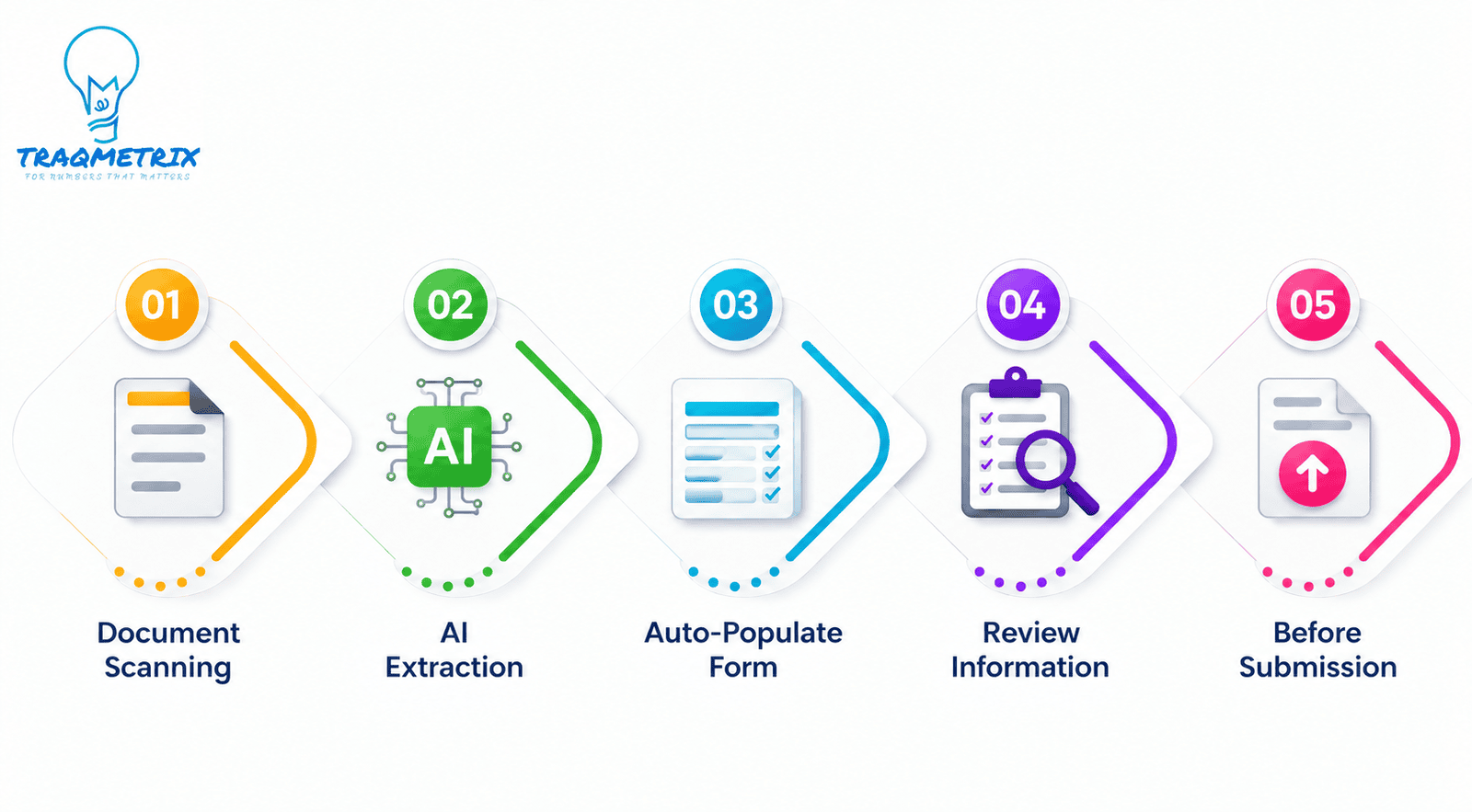
The Dispatch Slip process is automated through document scanning. Users can scan or upload the dispatch slip, and OCR extracts the available details. The extracted information is automatically populated into the Zoho Creator form. Users can review the information before submission, reducing manual entry and making dispatch documentation faster and more consistent.
9. Weaver Wise Production and Material Stock Report
The Weaver Report provides visibility into raw materials issued, finished goods received, pending quantities, stock balance, and production activity. Users can filter the report by weaver or date range to review specific records. Monthly reports summarize raw materials issued, finished goods received, pending job work, and completed production. The report can be exported as a PDF for management review, auditing, record keeping, or sharing. This provides a clearer view of production progress and material movement for each weaver.
10. Overall Dashboard
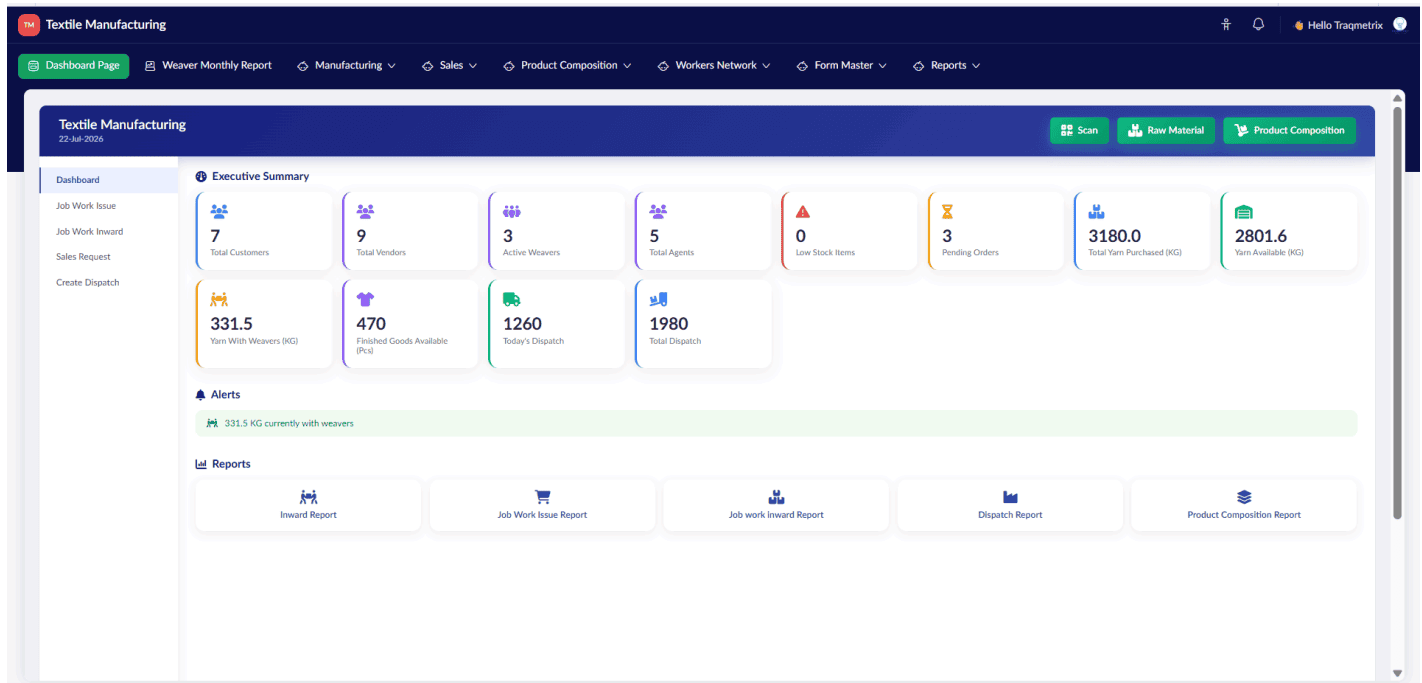
The Overall Dashboard provides a centralized operational view of key manufacturing and inventory activities. It displays registered users, raw material inward, stock in hand, material with weavers, today's dispatch, overall dispatch records, finished goods stock, pending orders, and low-stock alerts. By bringing these indicators into one dashboard, users can quickly understand current inventory and production status without checking multiple records. The dashboard supports faster monitoring and helps teams identify pending orders, available stock, and materials currently with weavers.
Conclusion
Transform your textile manufacturing operations with a connected, intelligent workflow built around your business needs. From raw material tracking and production management to inventory synchronization and customer dispatch, Zoho Creator integrated with Zoho Inventory helps you reduce manual work, improve stock visibility, and gain better control over every stage of your operations. If your textile business is still relying on spreadsheets, scattered records, and repetitive manual processes, it’s time to move towards a smarter way of working. Traqmetrix Solutions can help you build a tailored textile management solution that streamlines your processes and supports your business growth. Ready to transform your textile operations?