How NammaVahan Simplifies Modern Fleet Operations
Introduction:
Running a fleet involves a constant flow of transactions, documents, vehicle costs, tyre movements and workshop activity. The NammaVahan feature documentation groups these capabilities into Data Ease, Management and Productivity, covering the journey from capturing information to using it for operational decisions. Together, the features are designed to reduce repeated manual work and make important fleet information easier to reach.
1. Automatic Expense Records from Zoho Books
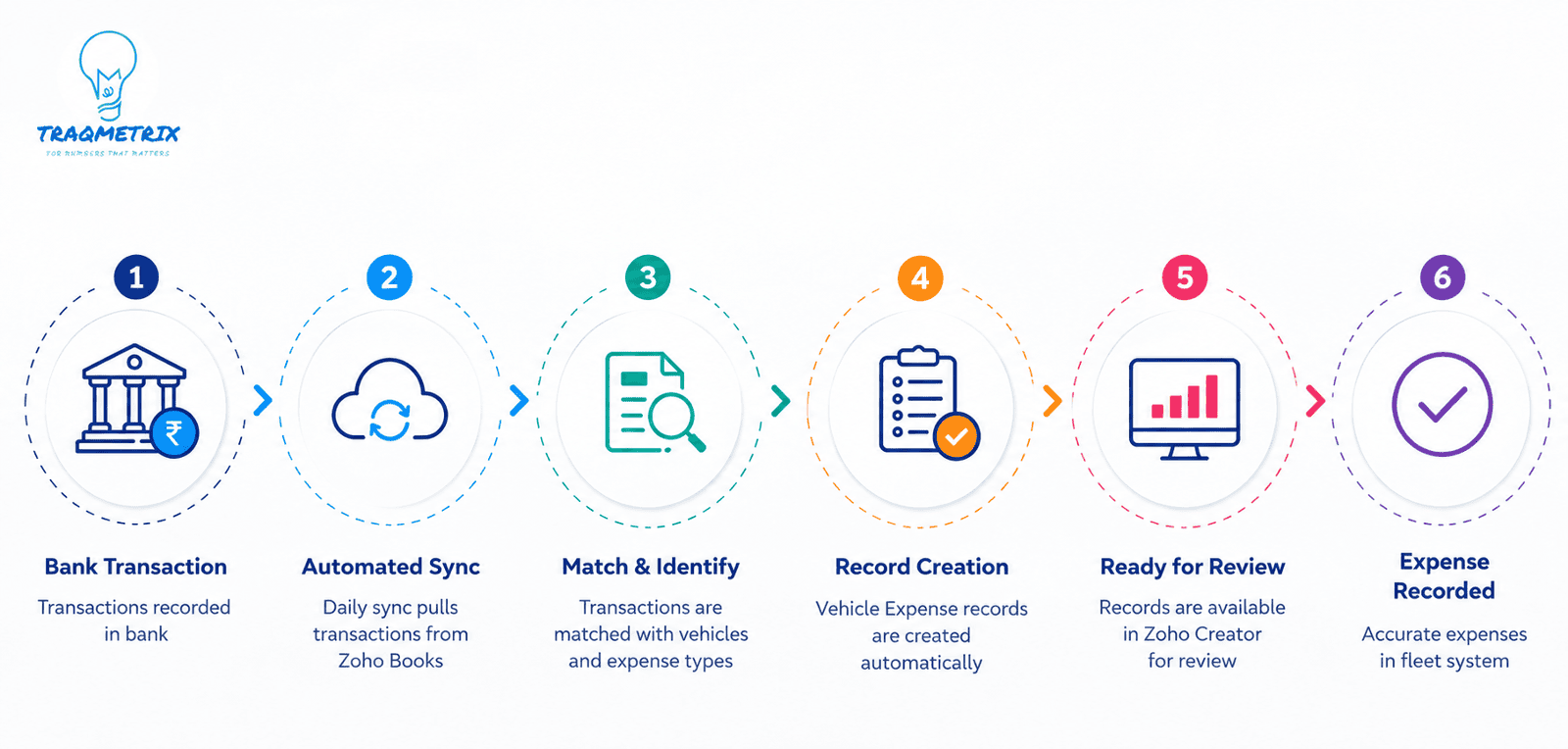
Vehicle expenses do not need to be repeatedly copied from bank statements into another system. NammaVahan uses a scheduled daily sync to bring relevant transactions from Zoho Books into the Vehicle Expenses form in Zoho Creator. This helps expense information reach the fleet system sooner while leaving transactions that cannot be attributed to a single vehicle available for review.The sync also helps maintain a more consistent expense trail across the fleet. Finance transactions can remain in Zoho Books while vehicle-level information becomes available in the operational application.
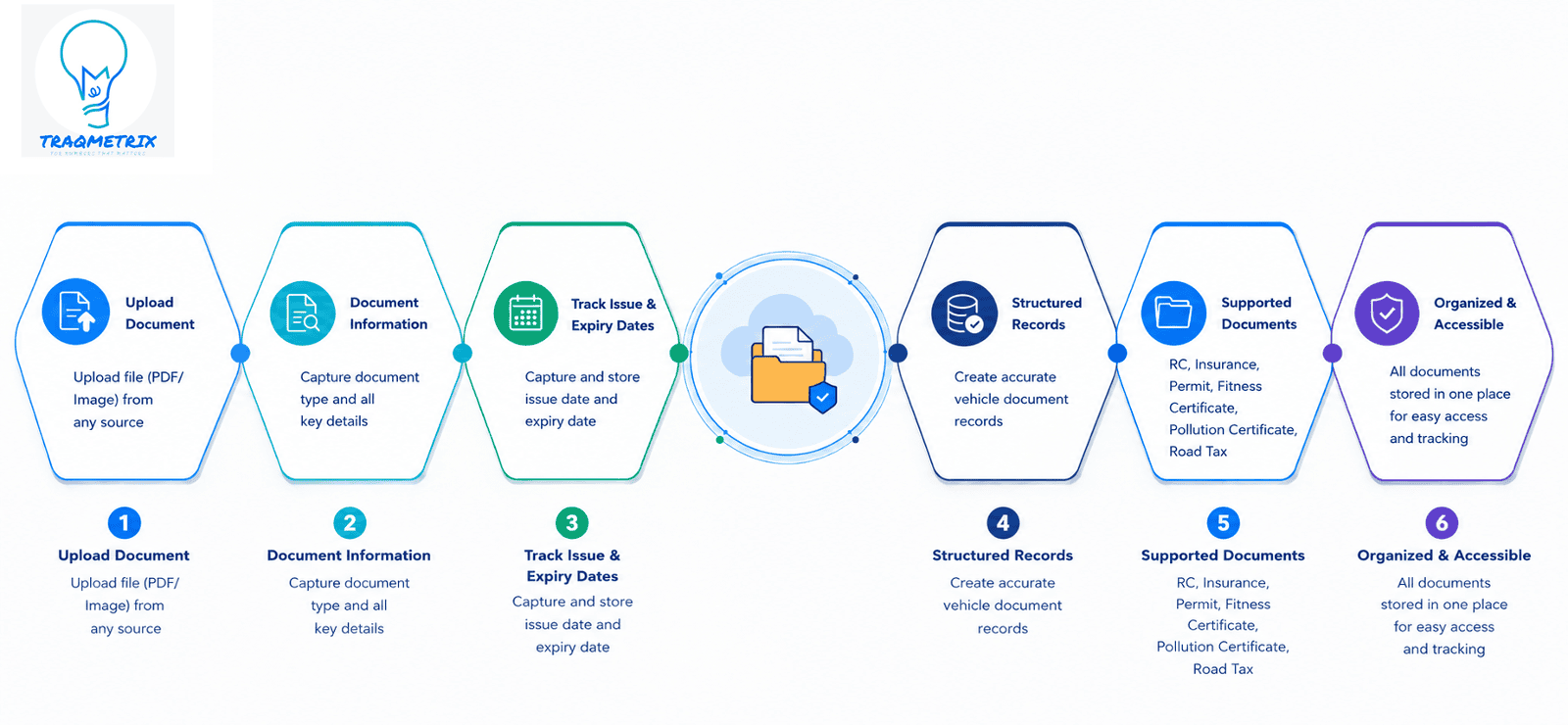
2. Create Vehicle Document Records by Uploading a File
3. Create Driver Data by Uploading Files
Driver onboarding can involve Aadhaar, driving licence, PAN card and bank documents, each carrying information that is otherwise typed field by field. The Aadhaar upload creates the initial driver record, while additional files complete the remaining information for review. This reduces the amount of repetitive entry while keeping the source documents connected to the driver's record.Keeping these documents with the driver's profile also makes future verification easier.
4. Freight Calculator with Voice Command
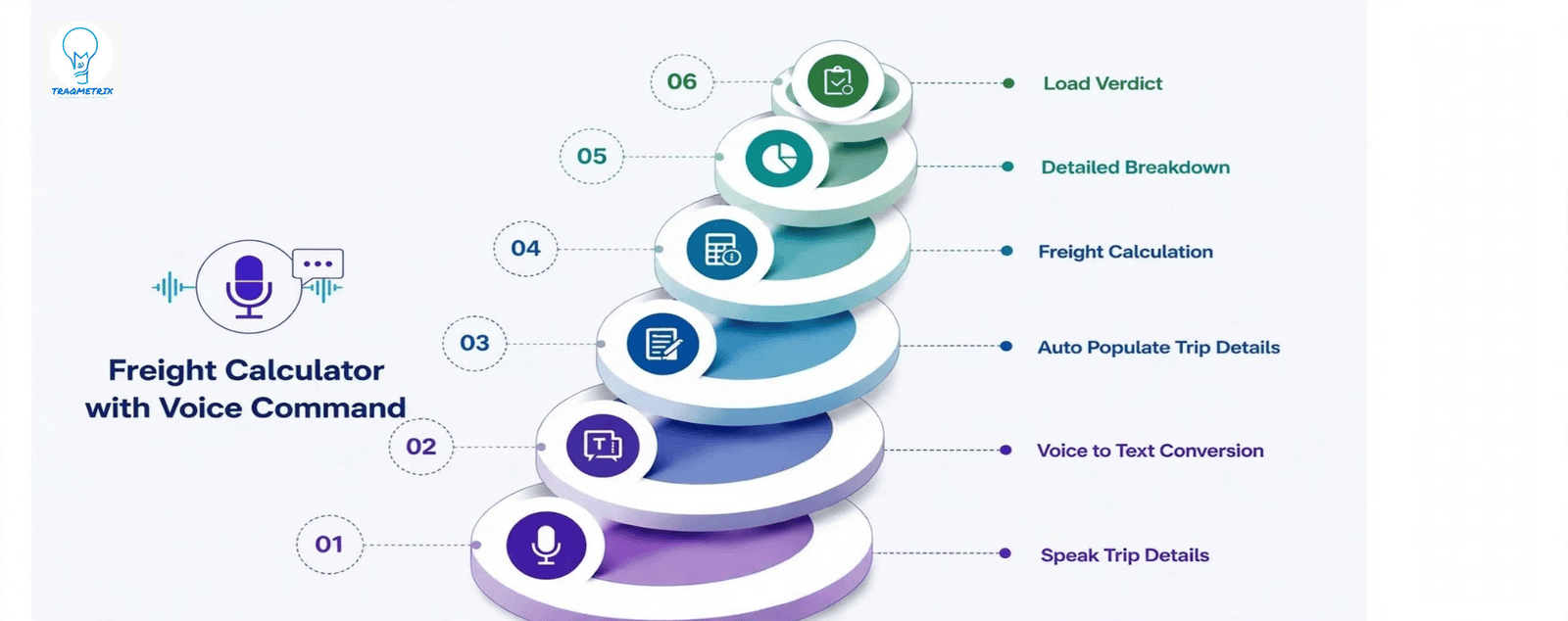
A load enquiry often needs a quick decision, but a proper answer depends on distance, fuel assumptions, tolls, expenses and expected income. NammaVahan allows a trip description to be spoken, converted into text and used to populate the freight calculation. The resulting view provides an expense breakdown, freight income, profit or loss, margin percentage and a load verdict.
5. Voice-Based Freight and Expense Records from Zoho Cliq
Operational information is often created away from a desk, where opening forms can delay the update. The documented workflow accepts voice messages through Zoho Cliq, transcribes the request and handles freight or expense information through the connected process. The transcript is shown for review, helping users verify important details such as the vehicle number before relying on the record.
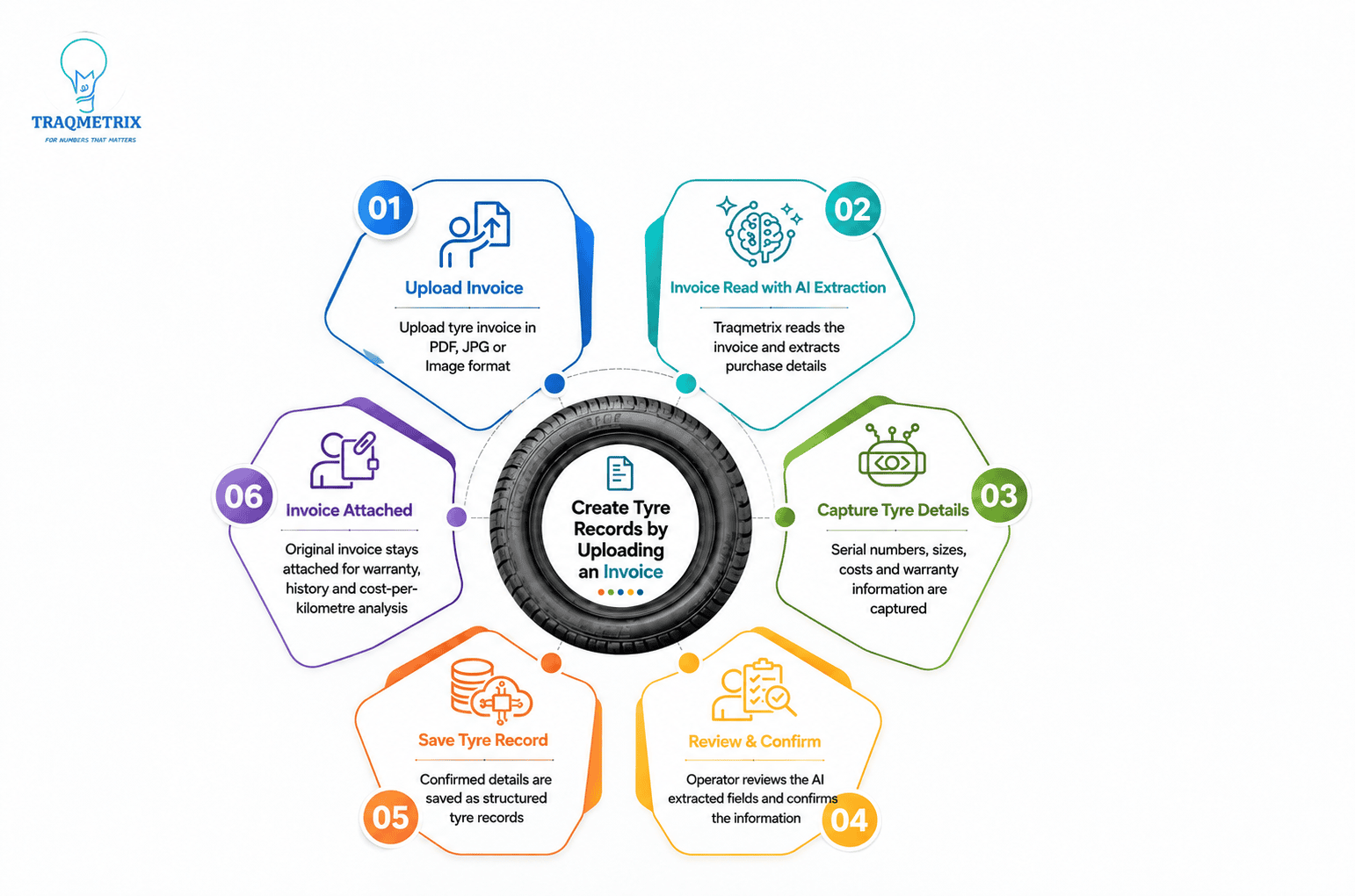
6. Create Tyre Records by Uploading an Invoice
A tyre invoice can contain serial numbers, sizes, costs and warranty information for several physical tyres at once. NammaVahan reads the purchase details into OCR fields where the operator can confirm the information before saving the record. The original invoice remains attached, supporting later warranty, history and cost-per-kilometre analysis.
7. Vehicle Statement Report
Income, running expenses, spares and incident costs can sit in separate records, making it difficult to judge one vehicle as a financial unit. The Vehicle Statement Report presents these entries as a running account with credits, debits, opening balance and closing balance for the selected period. It can also be printed as a statement of account for that vehicle.
8. Overall and Vehicle Performance Dashboards
Once data is collected, management needs a faster way to understand what is happening across the business and within individual vehicles. The documentation includes both an Overall Dashboard for the wider operation and a Vehicle Performance Dashboard for comparing operational results. These management views are intended to turn collected records into questions that can be reviewed visually instead of through repeated manual calculations.
9. QR Dashboard for the Workshop Floor
The QR Dashboard is designed for people standing next to a vehicle rather than sitting in front of a desktop screen. A photograph of the vehicle number plate is used to identify the vehicle and open its shop-floor page with release checks, current job card details, issues, spares, tyres and document information. This reduces the time spent searching through separate reports while the vehicle is physically present.
10. Tyre Details and Visual Tyre Layout
Tyres move through a long lifecycle of purchase, fitting, rotation, retreading, refitting and eventual disposal or sale. The Tyre Details page keeps identity, current status, purchase terms, warranty information and movement history together, while the visual layout shows tyres in their actual vehicle positions. The layout also supports fit and change actions while preserving the odometer-based history needed to calculate kilometres run.
11. FleetGPT for Operational Guidance
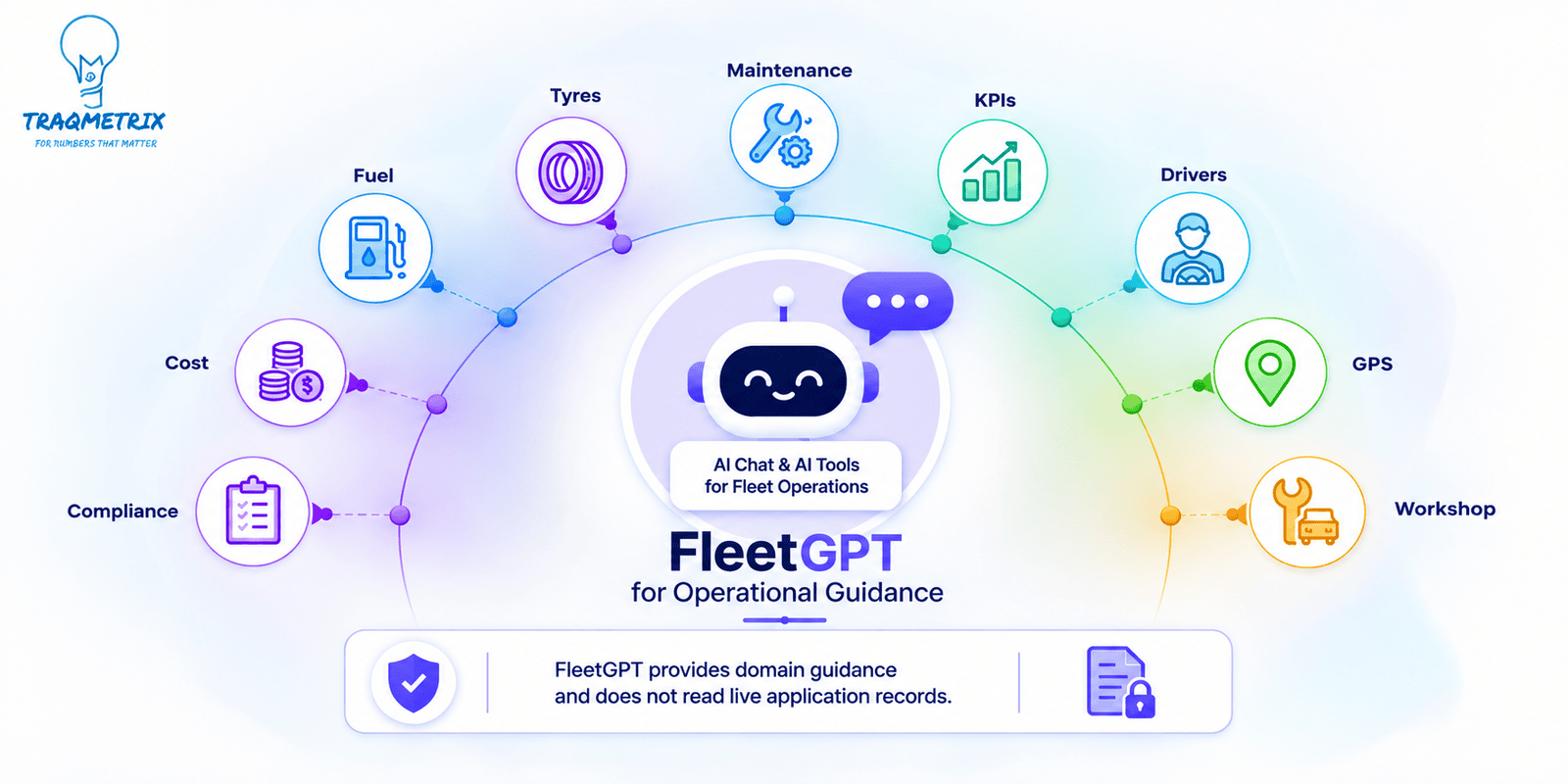
FleetGPT provides in-application guidance for transport, workshop and fleet operations through an AI Chat and AI Tools experience. Its specialist modes cover topics including fuel, tyres, maintenance, KPIs, drivers, GPS, workshop, downtime, compliance and cost, with fleet calculators also available as tools. The documentation clearly notes that FleetGPT provides domain guidance and does not read live application records.